


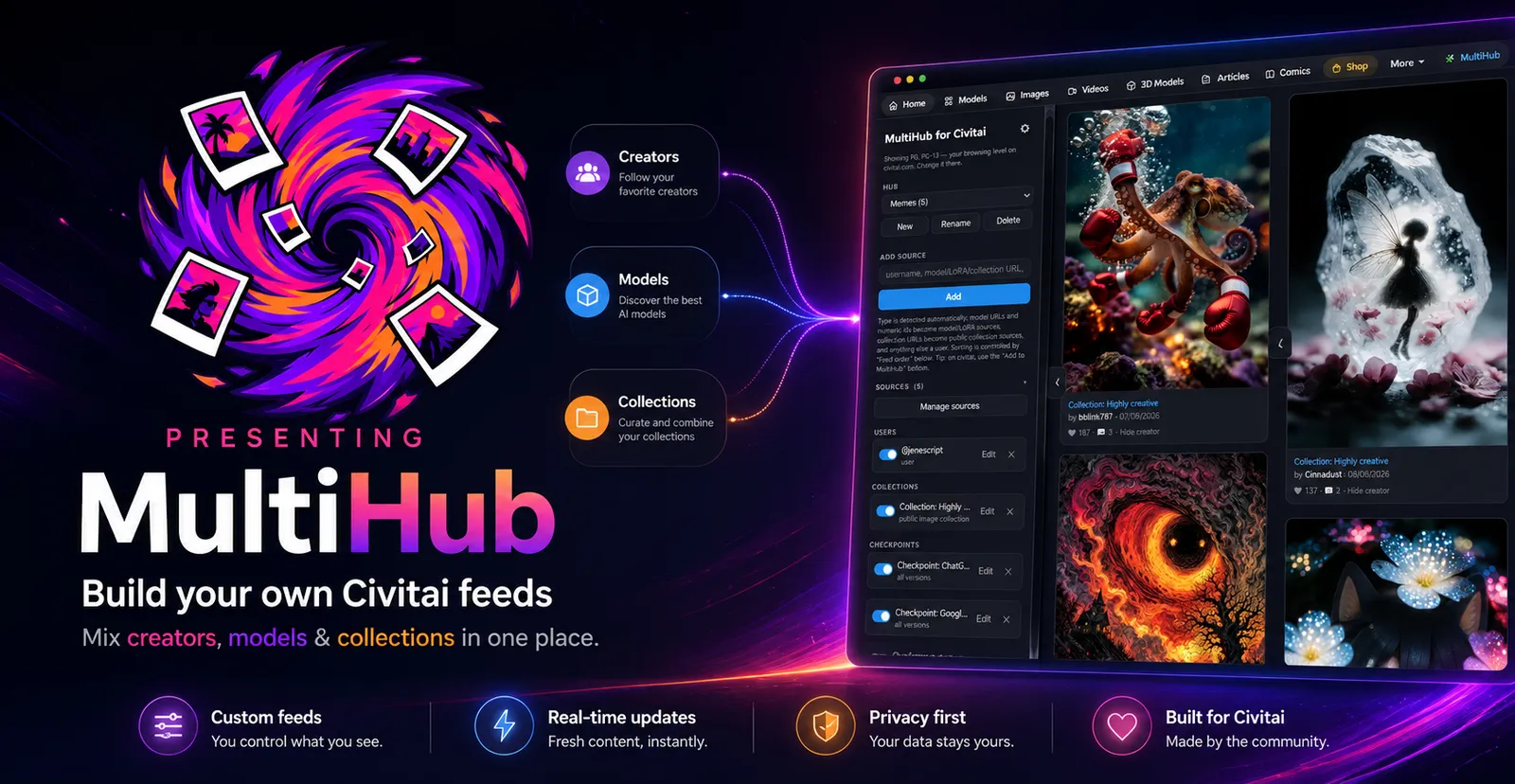
⚠ UPDATE | August 19th ⚠
MultiHub is now on the Chrome Extension store and on Firefox!
➡️ Install MultiHub on Chrome
➡️ Install MultiHub on Firefox
Article about the Update here
Stop scrolling the image feed and build your own!
There are a lot of things on Civitai you may want to keep up with.
Maybe it's a few creators, a LoRA, a checkpoint, or someone else's public collection. Normally, keeping up means checking all of those pages separately.
Civitai shows the same feed to everyone
MultiHub is a Chrome Extension, a Firefox Addon and an Android App that lets you make your own custom image/video feeds in Civitai.
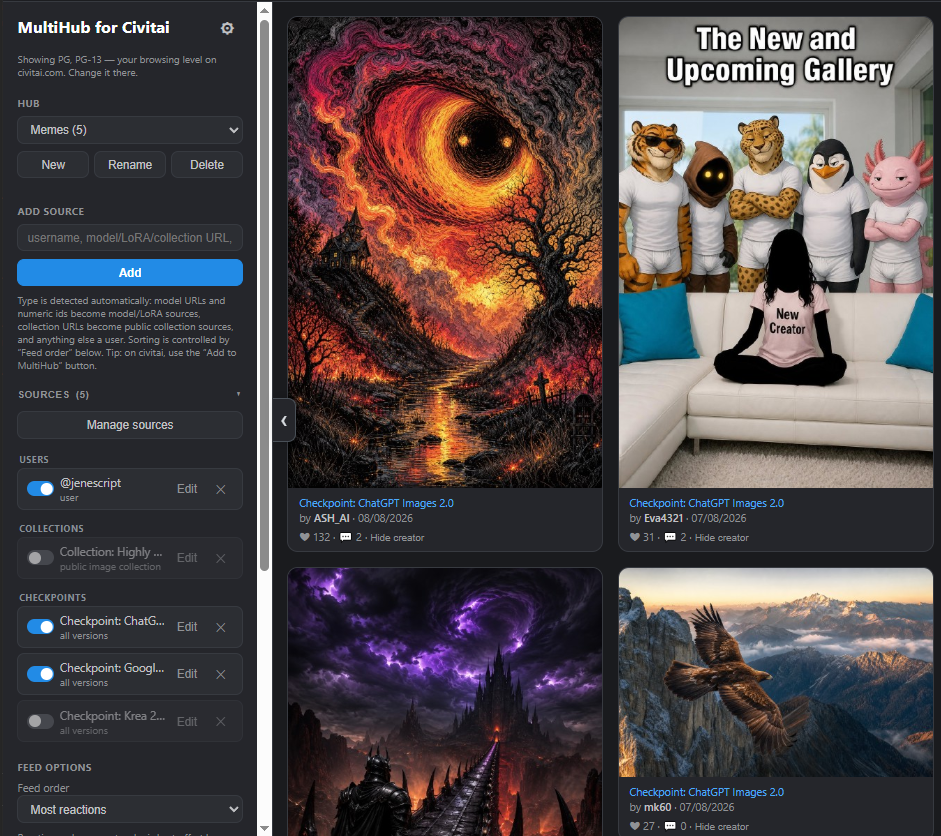
Pick any combination of creators, models, LoRAs, checkpoints and public collections. MultiHub merges their images and videos into one feed and removes duplicates.

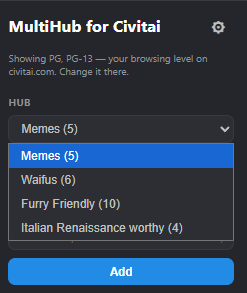
Make one hub. Make ten. Make sixty-nine!
Want every new image made with your favourite furry models? That's a hub.
Want the latest shitposts from your fifteen favourite memelords? That's another hub.
Want nothing but public collections curated by people with better taste than you? Also a hub.
Want one model, three LoRAs and sixty-seven furry creators in the same feed? Go for it.
What you actually get
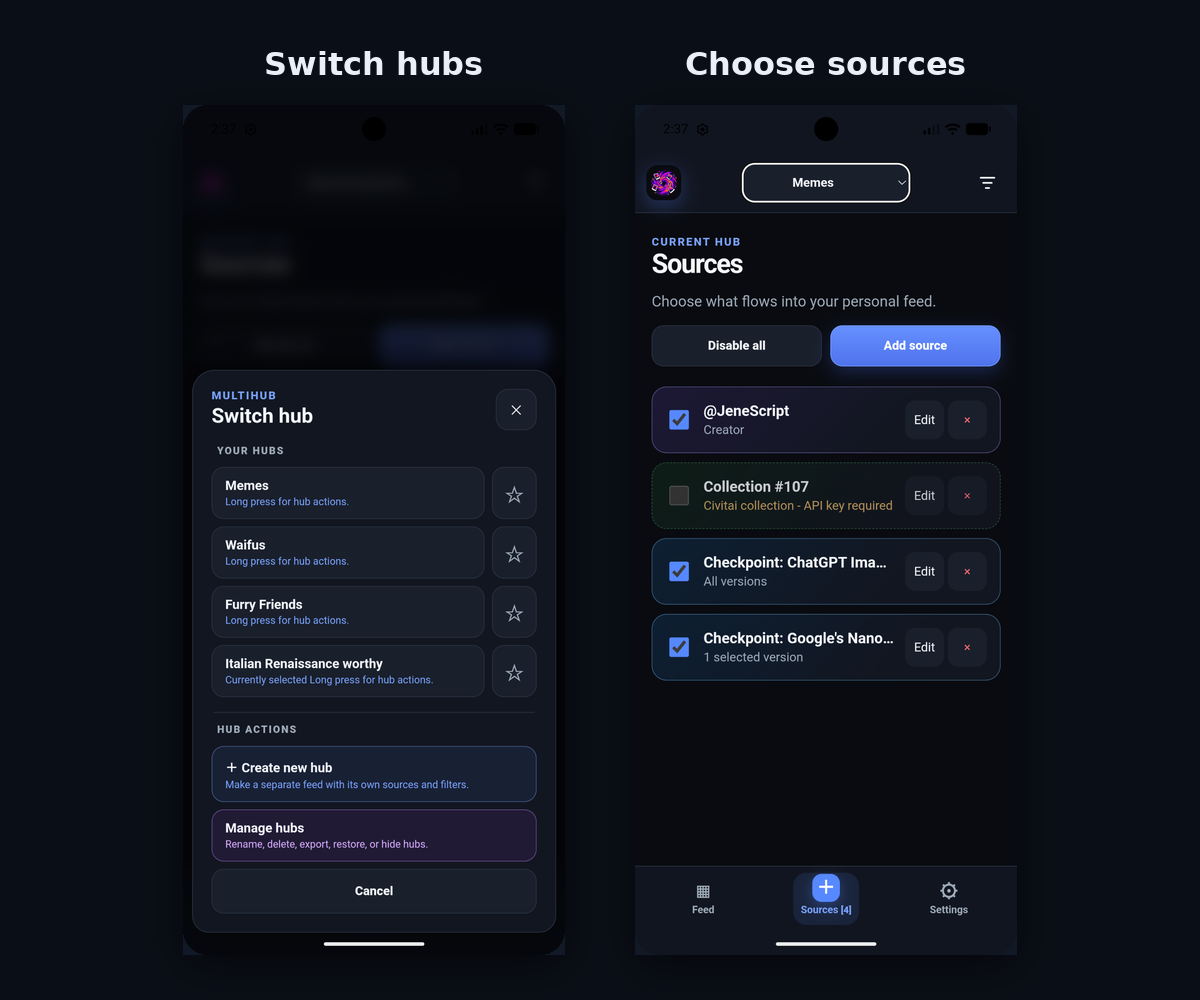
Multiple independent hubs, each with its own sources, sorting and filters
Sorting and filtering by date, popularity, media type and also aspect ratio (something Civitai doesn't currently offer natively).
Hide creators you don't want to see.
Share hubs with other people.
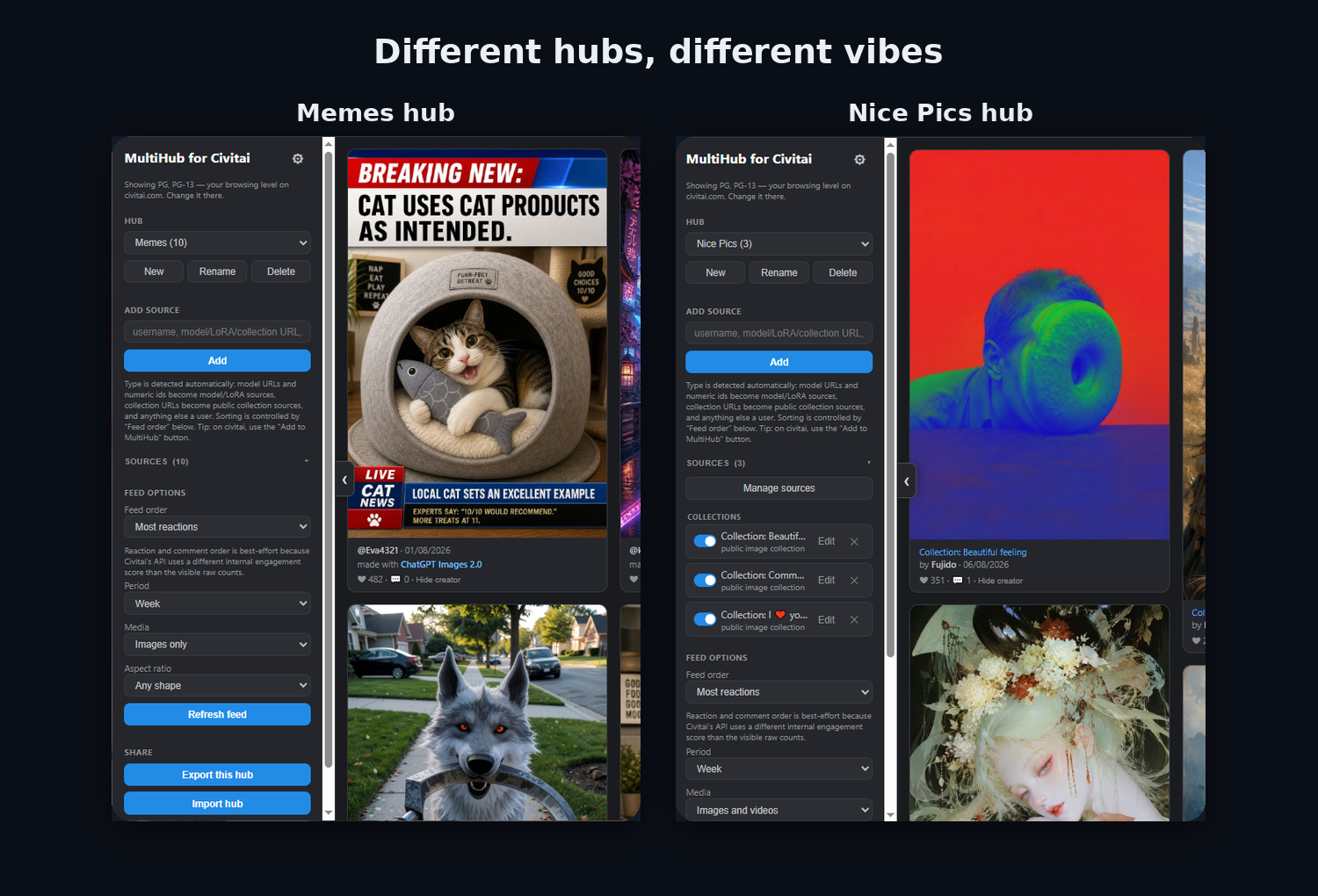
No MultiHub account required. Your hubs and settings stay on your device.
Two versions. Pick the one that matches how you browse.
MultiHub comes in two flavours:
🖥️ Browsing on a computer, on civitai.com? → Chrome extension
📱 Browsing on your phone? → MultiHubAI for Android — and this is where I need your help.
🖥️ The Chrome extension
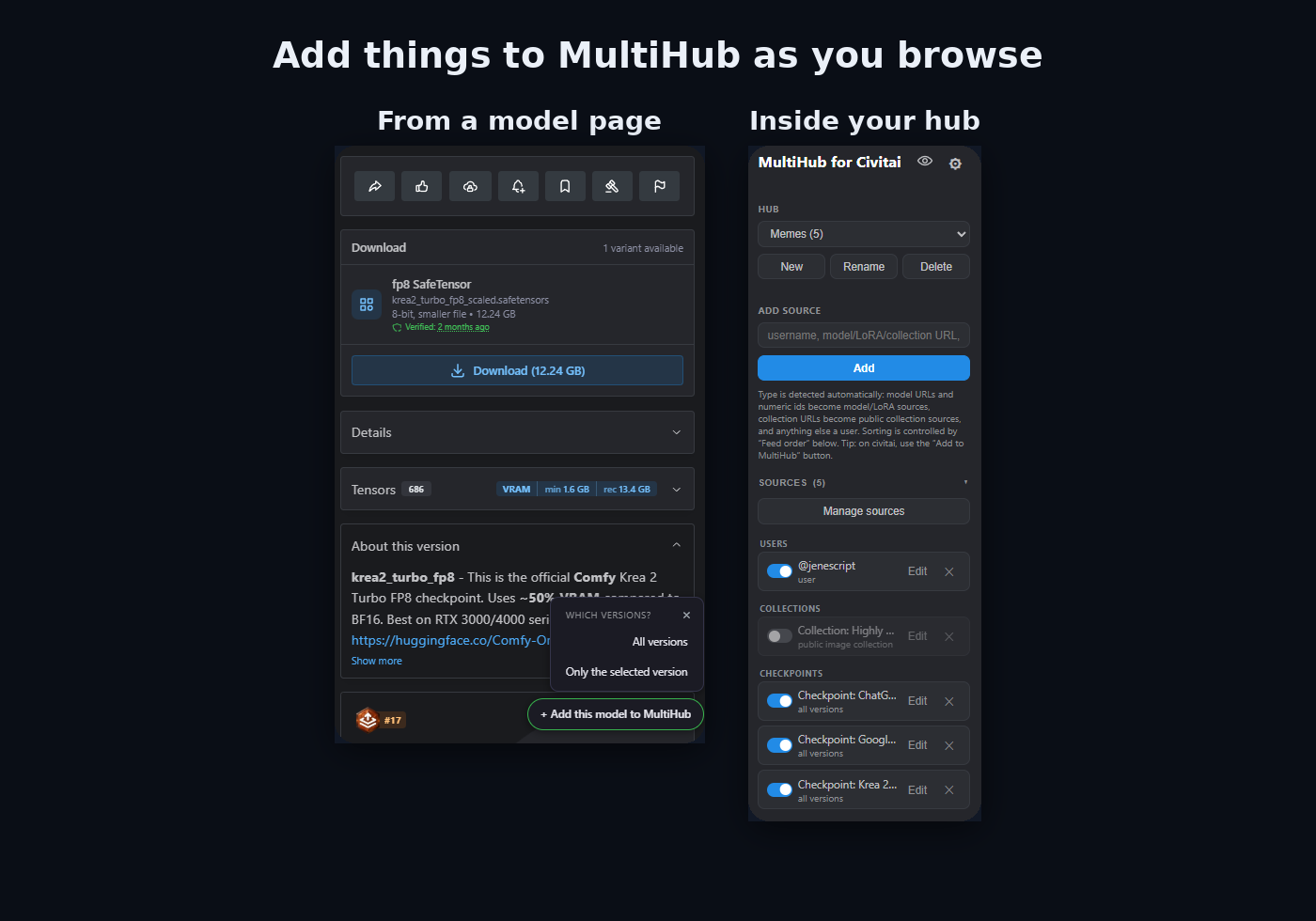
This is MultiHub living inside Civitai. A MultiHub button will be on the category ribbon right under the site header, and your hub feed opens in a panel right there on the page. It works on civitai.com and civitai.red, and links stay on whichever domain you started from: a .com session never quietly throws you at .red.
On creator, model, and collection pages you get a floating Add to MultiHub button.
See something you like? One click, pick the hub, done.
It's free, open source, and the code is all there to read.
Installing it (about 2 minutes)
Go to the MultiHub repository Releases page and download the latest version.
Extract the ZIP.
Open
chrome://extensionsand turn on Developer mode (top right).Click Load unpacked and select the extracted folder that directly contains
manifest.json.Refresh any Civitai tab you already had open.
Done!
📱 MultiHubAI: the Android app
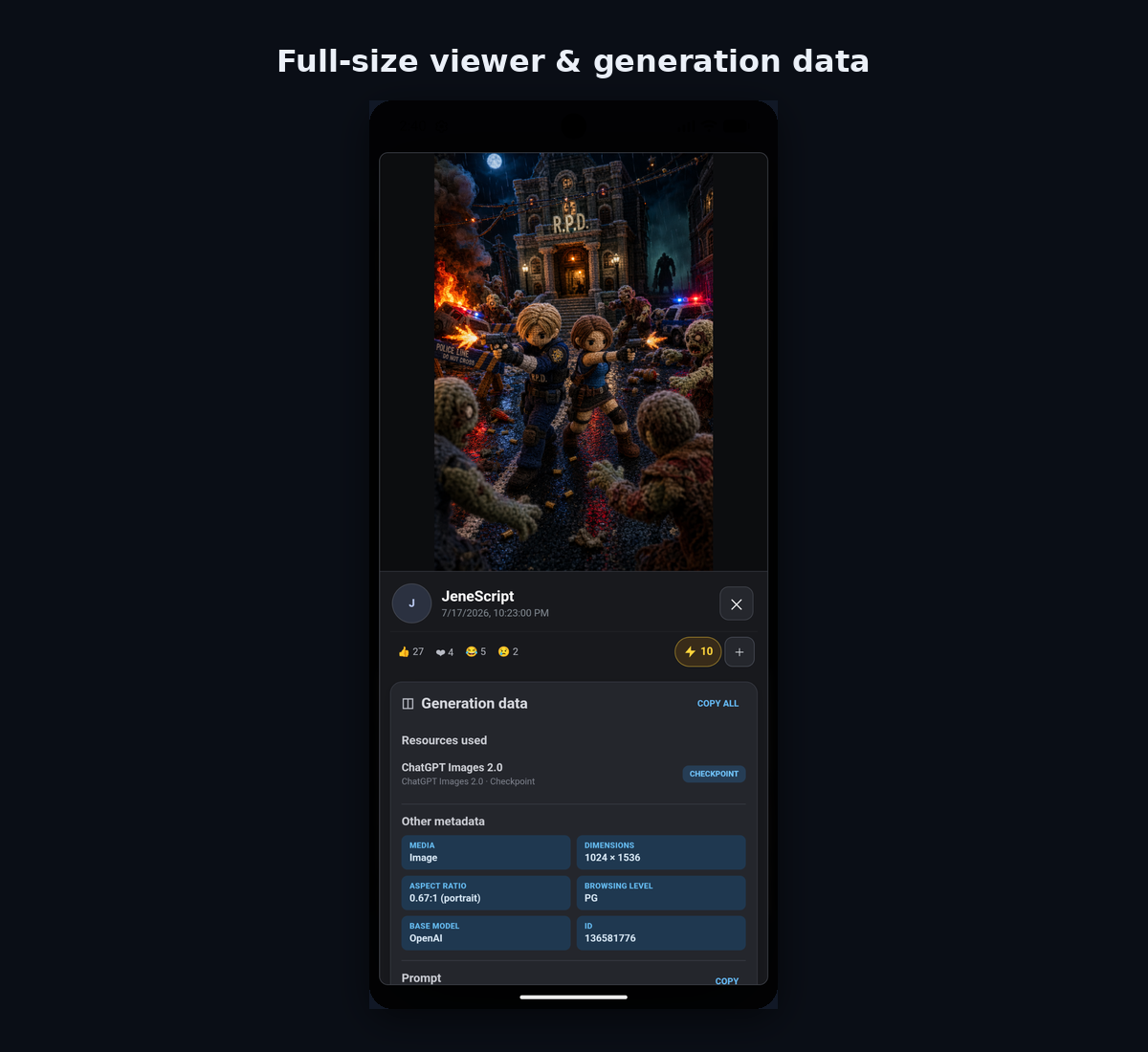
Same idea, rebuilt as a standalone Android app: hubs, merged feeds, filters, a full-size viewer with prompts and generation data, plus reactions, comments and collections.
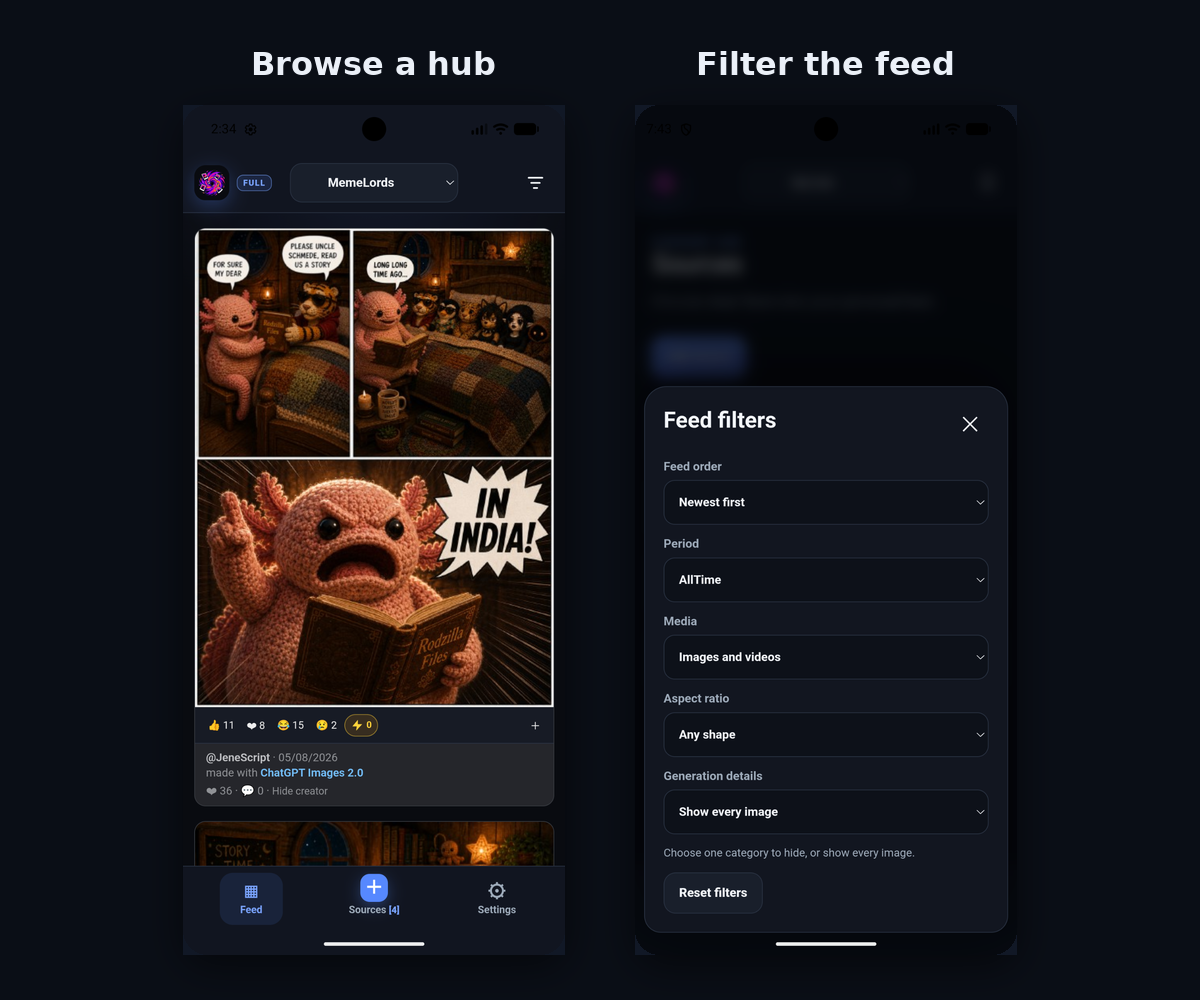
Plus a few things that only make sense on a phone:
Long-press anything — a creator, a model, a collection — to add it as a source or hide it everywhere.
Share creator, model or collection page into the app from your mobile browser. Hit Share → MultiHubAI, pick a hub.
Optional Civitai sign-in: lets you react, add images to collections, and comment directly from MultiHubAI. It can also create optional hubs from followed creators, liked models and followed collections, and gives you access to your Civitai notifications.
How To Get the App (asking for a favor) 🙏
MultiHubAI is on Google Play, is currently completing Google Play’s required closed-testing phase, and I’m looking for testers who genuinely use Civitai on Android.
Google requires a closed test with at least 12 testers who remain opted in for 14 consecutive days before applying for public release.
So if you browse Civitai on your phone and the idea above sounds useful to you, please join the closed test!
Joining takes two minutes, and it helps get the project out of closed testing.
How to join
Join the MultiHubAI Testers group:
https://groups.google.com/g/multihubai-testers⚠️ Please join with the same Google account you use on the Play Store.
I'll add your account to the Google Play closed test and send you the opt-in link by email.
Open the link, tap Become a tester, and install MultiHubAI from Google Play.
Don't want to join the Google Group? You can also DM me the email address of the Google account you use on the Play Store, and I'll add you manually.
Please stay in the test for at least 14 days — Google requires at least 12 testers to remain opted in continuously before I can apply for public release.
What you're signing up for:
It's an alpha (
0.1.0-alpha). Expect rough edges. That is precisely why testers exist.Needs Android 7.0 or newer.
The Play Store version is limited to
civitai.com. The Chrome extension has no such limitation.No ads, no tracking, no analytics, no in-app purchases. Buzz donations are unnecessary but appreciated ;)
Found something broken?
If something doesn't load, looks wrong on your device, or simply annoys you, tell me in the comments, DM or Discord. It's an alpha — that's what the test is for.
MultiHub is an independent, unofficial project
If you made it this far: build just one hub.
Put the three creators you'd genuinely be sad to miss in it, open it tomorrow morning, and see how it feels compared to the front page.
Comments